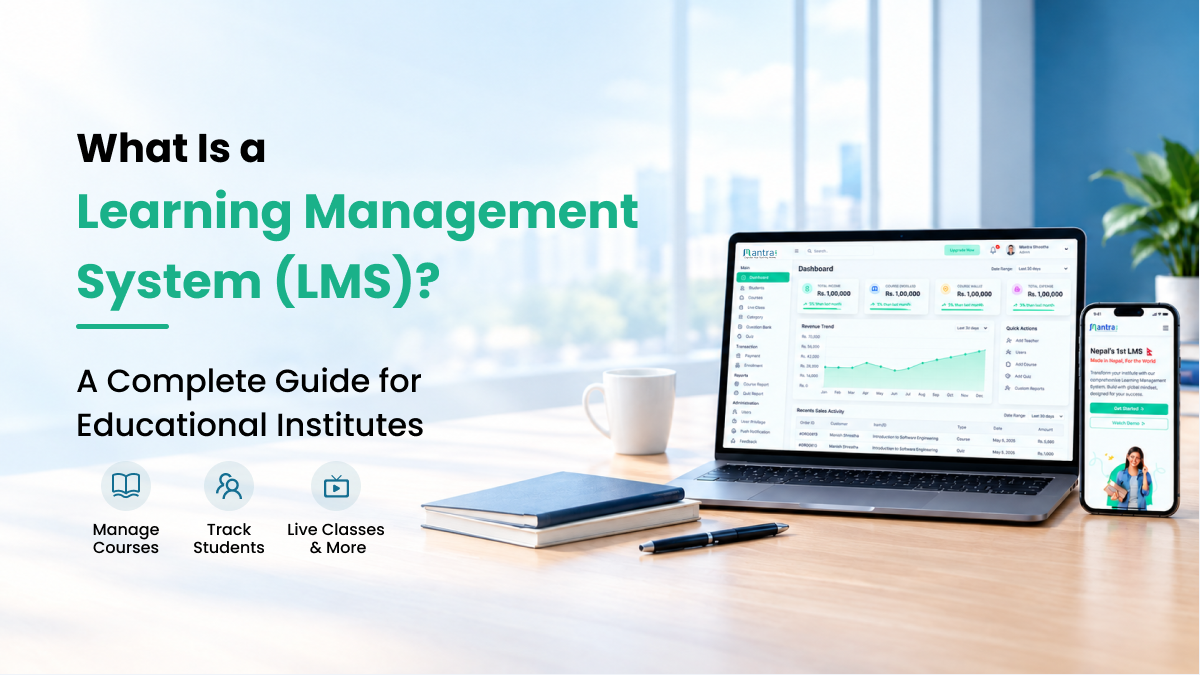
What Is a Learning Management System (LMS)? A Complete Guide for Educational Institutes
Educational institutions are increasingly using digital tools to deliver courses, manage students, conduct examinations, and improve the learning experience. As education evolves, managing these activities through separate tools can become time-consuming and difficult to maintain.
This is where a Learning Management System (LMS) becomes valuable.
An LMS provides a centralized platform where educational institutes can organize courses, share learning materials, conduct assessments, monitor student progress, and deliver online or blended learning experiences. For schools, colleges, coaching centers, language institutes, and professional training organizations, the right LMS can simplify academic operations and make learning more accessible.
In this guide, we will explain what an LMS is, how it works, its essential features, its benefits for educational institutes, and how to choose the right platform for your organization.
What Is a Learning Management System (LMS)?
A Learning Management System (LMS) is a software platform designed to create, organize, deliver, and manage educational content and training programs. It allows educators to provide learning materials, assign tasks, conduct assessments, and track learners' progress through a centralized digital environment.
Instead of distributing resources through multiple channels, an LMS brings essential teaching and learning activities together in one place.
For example, a coaching institute can use an LMS to upload recorded lectures, share study materials, schedule live classes, conduct mock tests, review student performance, and issue certificates after course completion.
An LMS can support several learning formats, including:
• Online learning: Students access lessons and resources through a digital platform.
• Blended learning: Institutes combine classroom teaching with online learning activities.
• Self-paced learning: Learners study course materials according to their schedules.
• Instructor-led training: Teachers deliver lessons, assignments, and assessments through a structured system.
• Corporate training: Organizations use digital courses to support employee learning and development.
A well-designed LMS helps institutions organize learning more efficiently while providing students with a consistent and accessible learning experience.
How Does a Learning Management System Work?
An LMS connects administrators, teachers, and learners through a shared digital platform. Each user receives access to the tools and information relevant to their role.
The process typically involves the following steps:
1. Create and Organize Courses
Administrators or instructors create courses and arrange content into subjects, modules, lessons, and learning activities. Materials may include videos, presentations, documents, quizzes, and assignments.
2. Enroll Students
Students receive access to the relevant courses through the institute's learning platform. Depending on the system, enrollment can be managed manually or integrated with other institute processes.
3. Deliver Learning Materials
Teachers publish lessons and resources for students to access online. Depending on the platform, learners may also attend live classes, watch recorded sessions, and receive notifications about new content.
4. Conduct Assessments
Instructors create quizzes, assignments, mock tests, and examinations to evaluate students' understanding. Assessment tools can help automate grading for supported question types and organize results.
5. Monitor Student Progress
Teachers and administrators review assessment results, course completion, participation, and other available performance indicators to identify areas where learners may need additional support.
6. Improve the Learning Experience
Institutes use the information available through the platform to improve course materials, provide timely feedback, and plan future learning activities.
By bringing these activities together, an LMS provides a more structured way to manage digital education.
Why Do Educational Institutes Need an LMS?
Managing an educational institute involves more than delivering lessons. Teachers must organize learning resources, track assignments, assess students, communicate announcements, and monitor academic progress.
When these activities are handled through disconnected tools, maintaining consistency can become challenging.
An LMS helps address these challenges in several ways.
Centralized Learning Management
An LMS provides a central location for courses, lessons, assignments, assessments, and other learning resources. Students can find relevant materials without searching through multiple communication channels.
More Organized Course Delivery
Institutes can structure courses into modules, lessons, and assessments. This helps teachers maintain a consistent curriculum and gives students a clearer learning path.
Flexible Access to Learning Materials
Students can access available learning resources through supported devices and revisit recorded lessons when needed. This is especially useful for revision, self-paced study, and learners who cannot attend every live session.
Simplified Assessment Management
Online quizzes, assignments, and mock tests help teachers organize evaluations and review student performance. Automated grading can also reduce repetitive work for supported question formats.
Better Visibility Into Student Progress
Progress reports and assessment analytics can help instructors identify learning gaps and provide more targeted support.
Improved Communication
Announcements, notifications, discussion forums, and other communication features help institutes keep students informed about classes, assignments, schedules, and course updates.
Essential Features of a Learning Management System
Not every LMS provides the same capabilities. Before selecting a platform, educational institutes should identify the features that match their teaching methods, learner needs, and long-term goals.
The following features are particularly useful.
1. Course Creation and Content Management
Course management tools allow instructors to create, organize, update, and distribute learning materials.
Useful capabilities include:
• Course and curriculum organization
• Video lessons and recorded lectures
• Documents, presentations, and downloadable resources
• Structured learning modules
• Course completion tracking
These features help teachers maintain organized learning resources and deliver content consistently.
2. Live Classes and Video Streaming
Live learning features enable instructors to conduct interactive online sessions alongside recorded lessons.
Depending on the platform, these capabilities may include:
• Live class scheduling and access
• Video-conferencing integrations
• Recorded session playback
• Course-linked video content
• Student access across supported devices
For coaching centers, language institutes, and professional training providers, these tools can support both real-time instruction and independent revision.
3. Quizzes, Exams, and Mock Tests
Assessment tools help institutes evaluate understanding and provide structured practice opportunities.
Important capabilities may include:
• Multiple-choice and other supported question types
• Timed quizzes and examinations
• Mock tests for exam preparation
• Automated grading where supported
• Assessment reports and performance analysis
For entrance preparation and competitive examination institutes, a well-organized assessment system can make practice and progress monitoring easier.
4. Assignment Management
An LMS can help teachers distribute assignments, collect submissions, provide feedback, and manage grading.
This creates a clearer process for both teachers and students while keeping assignment-related information organized.
5. Student Progress Tracking
Progress tracking provides insights into how learners interact with courses and perform in assessments.
Depending on the platform, instructors may be able to review course completion, quiz results, participation, and other relevant indicators.
These insights can help teachers identify students who may benefit from additional guidance.
6. Mobile Learning Applications
Mobile access allows students to engage with learning materials beyond a desktop computer.
For institutes that want a stronger branded presence, a platform offering dedicated Android and iOS applications can provide a more institute-specific experience than a website alone.
Before choosing an LMS, confirm whether mobile access is provided through a responsive website, a shared application, or dedicated applications branded for your institute.
7. Certificates and Learning Records
Certificate management helps institutes recognize course completion and maintain relevant learning records.
Depending on the system, certificates may be issued automatically after learners meet defined course or assessment requirements.
8. Reporting and Analytics
Reporting tools help administrators and instructors understand course participation, assessment outcomes, and learning progress.
Useful reports can support better academic planning and help institutions make informed decisions about course delivery.
9. Custom Branding and Domain
Branding options allow an institute to provide a consistent identity across its website, learning environment, and student-facing applications.
For organizations building their own education brand, features such as custom domains, institute-specific colors, logos, and branded mobile apps may be important considerations.
10. AI-Assisted Learning Tools
Some modern LMS platforms offer AI-assisted tools for preparing course outlines, generating draft quiz questions, and identifying learning patterns.
These tools can help educators reduce repetitive preparation work. However, instructors should review AI-generated materials for accuracy, relevance, and suitability before publishing them.
Benefits of Using an LMS for Different Types of Educational Institutes
An LMS can support different educational models, but the most valuable features depend on the type of institution.
For Coaching Centers
Coaching centers often need to deliver lessons, distribute study materials, conduct mock tests, and monitor preparation progress.
An LMS can help them:
• Organize subjects and course materials.
• Provide recorded lessons for revision.
• Conduct online practice tests.
• Track assessment results.
• Share announcements and learning resources.
For Language Institutes
Language institutes may use an LMS to support structured language courses, vocabulary practice, recorded lessons, assignments, and online assessments.
It can also provide learners with a central place to access course materials and review lessons outside classroom hours.
For Schools and Colleges
Schools and colleges can use an LMS to distribute educational resources, manage assignments, support blended learning, and organize assessments.
The appropriate setup depends on the institution's curriculum, teaching methods, student population, and existing systems.
For IT and Professional Training Institutes
Technical training providers can organize course modules, practical learning resources, assignments, assessments, and completion certificates.
An LMS can also support learners who need flexible access to lessons while developing professional skills.
For Corporate Training Teams
Organizations can use an LMS to deliver employee onboarding, internal training, compliance education, and professional development programs.
Progress reports and completion records can help training teams understand participation and identify outstanding learning requirements.
LMS vs. Traditional Learning Management Methods
Traditional teaching methods remain valuable, particularly for face-to-face interaction and practical instruction. An LMS complements these methods by organizing digital learning activities.
Activity Disconnected or manual methods LMS-based approach
Learning materials Shared through multiple channels Organized within courses
Recorded lessons Stored and shared separately Available through supported course pages
Quizzes and mock tests May require separate tools Managed within the platform when supported
Assignment submissions Collected through different channels Organized through assignment tools
Progress monitoring May require manual consolidation Supported by reports and analytics
Course access Depends on how resources are distributed Available through supported web or mobile access
Student communication Spread across several channels Centralized through available notifications and discussion tools
The exact differences depend on how an institute currently operates and which features its chosen LMS supports. Digital systems are most effective when they are implemented alongside sound teaching practices.
How to Choose the Right LMS for Your Institute
Selecting an LMS is an important decision because the platform should support your institute's current requirements while allowing room for future growth.
Before making a decision, consider these factors.
1. Identify Your Institute's Requirements
List the activities you want to manage digitally. These may include course delivery, live classes, assessments, student progress, certificates, or multiple branches.
Prioritize features that solve your current challenges instead of choosing a platform based only on the length of its feature list.
2. Evaluate Ease of Use
The platform should be practical for administrators, instructors, and learners.
A complicated interface can make adoption difficult, so review the dashboard, course creation process, student experience, and available support.
3. Check Mobile Compatibility
Consider how students access learning materials and whether your institute needs dedicated Android and iOS applications.
If branded apps are important, confirm how they are published, customized, maintained, and synchronized with the web platform.
4. Review Assessment and Reporting Tools
Check whether the platform supports your preferred question types, grading requirements, examination formats, and reporting needs.
Institutes that rely heavily on mock tests or professional certification preparation should pay particular attention to these capabilities.
5. Understand Customization Options
Different institutes have different teaching methods and branding requirements.
Review whether the platform supports your preferred domain, visual identity, workflows, user permissions, integrations, and future customization needs.
6. Consider Data Security and Privacy
Review the platform's data protection practices, access controls, hosting arrangements, backup policies, and relevant privacy commitments.
Institutes should understand how learner information is collected, accessed, stored, and managed before adopting a new system.
7. Compare Pricing and Support
Compare subscription costs, learner limits, setup requirements, included features, mobile application costs, and potential additional charges.
Also evaluate the provider's technical support, onboarding process, documentation, and ability to assist as your institute grows.
8. Test the Platform Before Committing
Whenever possible, use a trial or request a demonstration.
Test the main workflows that matter to your organization, including course creation, student enrollment, assessments, reporting, and mobile access.
A practical evaluation helps you determine whether the LMS is suitable for your institute.
What Makes a Customized LMS Different From a Standard LMS?
A standard LMS may provide a shared platform with settings that can be adjusted by each organization. A customized LMS can go further by adapting branding, workflows, permissions, integrations, and the overall learning environment to an institute's requirements.
For example, an institute may want:
• Its own website and domain.
• A learning platform featuring its own logo and visual identity.
• Dedicated Android and iOS applications.
• Specific administrator, teacher, and student permissions.
• Assessment formats that match its teaching model.
• Integrations with existing payment or communication systems.
Customization can be particularly valuable for institutes that want to build a recognizable education brand rather than operate through a generic learning environment.
However, the right choice depends on the institute's budget, technical requirements, desired level of control, and future plans.
How Mantra LMS Supports Modern Educational Institutes
Mantra LMS is a customizable learning management platform developed in Nepal for educational institutes, academies, and training organizations.
It combines course delivery, assessment management, live learning, learner progress tools, and institute-specific branding within a digital learning environment.
Key capabilities include:
• Course and assessment management: Organize learning content, assignments, quizzes, examinations, and certificates.
• Live classes and video learning: Support live instruction, recorded lessons, and available video integrations.
• AI-assisted course creation: Generate draft course structures and assessment questions for instructors to review.
• Branded mobile applications: Provide dedicated Android and iOS apps featuring the institute's identity.
• Customization: Adapt branding, domains, permissions, and selected workflows to the institute's requirements.
• Learning analytics: Use available reports and insights to understand learner progress and assessment performance.
These capabilities can help institutes bring their digital teaching activities together while maintaining their own educational identity.
Whether you operate a coaching center, language institute, school, college, or professional training organization, it is important to choose a platform that fits your teaching approach and supports your long-term goals.
To explore the available features and determine whether the platform meets your requirements, visit the official website at https://www.mantralms.com/.
Frequently Asked Questions About Learning Management Systems
What is an LMS used for?
An LMS is used to create, deliver, organize, and manage digital learning. Depending on its features, it can support courses, assignments, live classes, assessments, certificates, and learner progress tracking.
Can an LMS be used for a coaching center?
Yes. Coaching centers can use an LMS to organize study materials, deliver recorded lessons, conduct mock tests, manage assignments, and review student performance.
Is an LMS suitable for small educational institutes?
Yes. An LMS can be useful for small institutes that want to organize learning resources and introduce digital teaching processes. The best option depends on the institute's budget, learner numbers, and feature requirements.
Can students access an LMS on mobile devices?
Many LMS platforms support mobile access through responsive websites or mobile applications. Availability of offline learning, notifications, and other mobile features depends on the platform.
What is the difference between an LMS and an online course website?
An online course website may primarily focus on displaying and selling courses. An LMS typically provides broader tools for course management, assessments, learner tracking, and educational administration. The distinction depends on the capabilities of each platform.
Does an LMS support live online classes?
Many LMS platforms support live classes through built-in streaming or third-party video-conferencing integrations. Institutes should confirm which tools are available and whether additional subscriptions are required.
How much does an LMS cost?
LMS pricing varies according to the provider, number of learners, feature set, hosting, customization, support, and mobile application requirements. Institutes should compare the full cost of ownership rather than only the advertised starting price.
How can I choose the best LMS for my institute?
Start by identifying your teaching and management requirements, then compare usability, assessment tools, mobile access, customization, security, support, and pricing. Testing the platform before committing can help you make a more informed decision.
Conclusion
A Learning Management System can help educational institutes organize digital courses, streamline assessments, monitor student progress, and provide learners with more flexible access to educational resources.
Choosing the right LMS requires more than comparing features. Institutes should evaluate how well a platform supports their teaching methods, student needs, branding requirements, and long-term plans.
With capabilities for course management, assessments, live learning, AI-assisted content creation, and branded mobile applications, Mantra LMS offers educational institutes a way to build a more organized and institute-specific digital learning experience.
Explore Mantra LMS to learn more about its features and discover whether it is the right fit for your institute.